
imgproxy News #14
imgproxy v4 is around the corner! Learn what it brings to the table!


imgproxy v4 brings lots of new features and improvements. Let’s take a look at some of the most significant ones!
Internal Cache and changes to conditional request behavior
For a long time, we’ve been encouraging users to rely entirely on an external cache, such as a CDN or a caching reverse proxy. Putting a CDN in front of imgproxy is and will always be a best practice, and it solves the caching problem for most users. However, we learned that some cases require an additional, long-term caching layer. imgproxy Pro v4 introduces an internal cache to fill this gap! It’s designed to be simple and efficient, and it can be used in combination with an external cache or on its own.
Also, imgproxy v4 changes the way it handles conditional requests. We made working with Etag/If-None-Match and Last-Modified/If-Modified-Since simpler yet more reliable.
Parallel image downloading
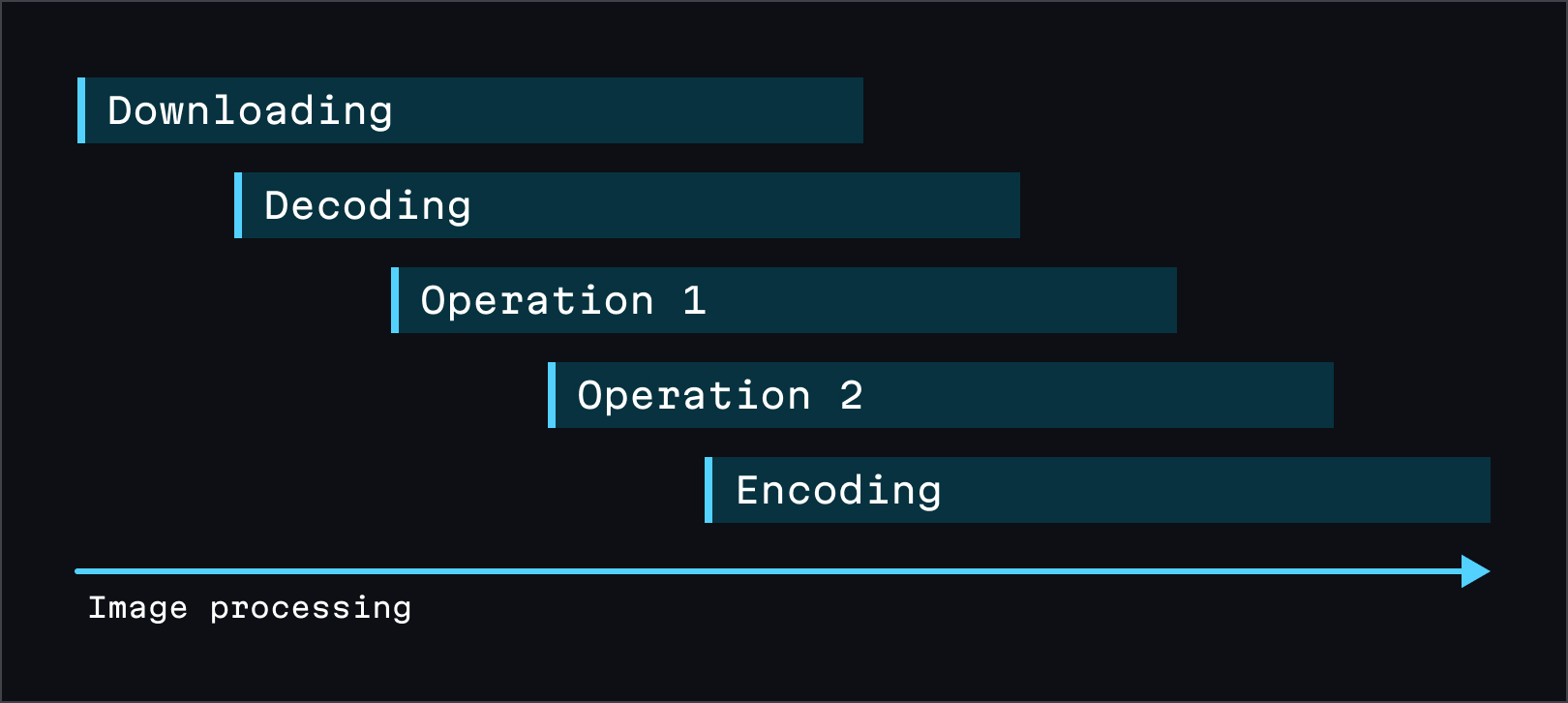
imgproxy v4 no longer waits for the entire image to download before processing it. It leverages libvips’ full streaming capabilities to begin processing the image as soon as the first bytes arrive. This enables faster response times, especially for large images and slow image sources.
Better SVG minification, RAW formats support, and colorspace preservation
imgproxy v4 improves the way it handles images in several ways:
Better SVG minification. The new homegrown SVG minifier is more effective in both size reduction and performance. Our benchmarks show more than two times better minification and almost twice the performance compared to the previously used minifier!
RAW formats support. imgproxy Pro v4 can use digital camera RAW images (also known as digital negatives) as a source. This allows your users to upload RAW images and have them processed by imgproxy without the need for an intermediate conversion step.
Colorspace preservation. Starting with v4, imgproxy preserves grayscale images in their original colorspace rather than converting them to RGB. Additionally, it allows you to disable the conversion of high-bit-depth images to 8-bit, preserving their original color range.
Image classification, cropping objects, and better autoquality
imgproxy Pro becomes even smarter with v4!
Image classification. imgproxy Pro v4 can classify images using a machine-learning model, which is useful for tagging and categorizing them. You can either use our out-of-the-box model trained on 560 object classes or provide your own custom model for specific use cases.
Cropping objects. With the new `crop_objects` option, imgproxy Pro can automatically crop images around detected objects. This is useful when you want to keep only the specific objects in the frame. For example, you can use this feature to generate perfect headshots from photos.
Better autoquality. We improved how imgproxy Pro calculates an image’s visual quality loss. This allows it to choose the optimal compression level for each image, finding the best balance between quality and file size.
Better observability
imgproxy v4 improves its observability features, providing better insights into its performance and behavior and making it easier to monitor and debug issues. This includes enhanced logging, more detailed request tracing, documentation URLs in error reports, and more!
Of course, these are not all the changes in v4, but the most significant ones. Check out the changelog for the full list of what’s new in v4. And if you want to try imgproxy Pro v4 and get your hands on these juicy new features, just apply to our Early Access program!